Wednesday, May 4, 2016

The Playlist is The Music

The Playlist is The Music, in so many ways.

Even just picking one song from one's collection, or deciding to listen to an FM radio station, or an Internet rebroadcasted radio station, or an internet originated radio station, or a station within a paid service (and which and which), or a particular song on a particular service, has long been a hard thing for me to do, and not getting much easier.

These things don't just come to me, as I imagine they might for a different sort of music listener, maybe even most.  Perhaps just people have something in mind as they walk into their audio room, or flip on their phones (I so rarely do the latter it barely counts).

Though to be honest, the biggest thing stopping me from always having music playing, in my post-23* audio decadence years is just to decide to listen to music, or even have music on (which is 95% of how it starts for me, as background music, though some considerable fractions of such become serious listening as the system is sounding so good it pulls me in nowadays, rather than seeming slightly astringent).

(*In my first few days of personal audio, as I quickly progressed from an Admiral radio alarm clock, tube based, to a beautiful and clean Fisher FM 80 I picked up for $20, to a tube based reel tape recorder, to a Dual 1209 with a handful of records.  Certainly before I got my records it was easyist, I simply turned on the radio (last station) or pressed play on the tape recorder.  But I don't remember any difficulty choosing music until at least 23 of age, about the time I started working for a high end audio store.  Perhaps listening became too serious or something.)

So a playlist makes this burden a lot easier.  Or at least you then only have to choose on thing: which playlist, and then all the rest of the music is selected.

I had this hope with computer network based audio systems I could simply let it choose music at random.  I started on that project in 2005 when I bought my first set of Sonos modules (I now have 6 active zones).  It has never proved to be satisfactory, despite endless work.

Towards this end, I have always organized my music in 3 different folders.  Sonos conveniently allows you to select an entire folder.  And then you can choose "shuffle."  I had the main folder with no-talk classical music, that I can listen to as background (I don't like talk in the background, it's distracting) or serious.  And then everything else, rock, pop, opera, are in a different folder.  Then a third folder of stuff I own but don't really want to listen to much, because it's too loud, or jarring, or whatever.

I did this folder shuffle play for several years.  But ultimately it became tiring.  Even as my collection expanded the sense of hearing the same songs over and over didn't go away.  I now figure that listening to a collection of albums as a collection of songs doesn't work.  If anything, you need to be able to listen to random albums within some category.  I haven't figured out how to do that in Sonos.

Sonos album selection isn't as nice as on some other systems either.  It gives you a huge scrollable list, either with scroll bar or alphabetic shortcuts or both.  Well that works if you know what you want.  But if you're trying to decide, a full page display of album displays works nicest for browsing, and I haven't seen Sonos do that.

As I never listened to pop radio much, I've never picked up on the hot music such a listener might find they have to have.  So how even does (or did) one decide what to get?  Possibly listening with friends, then extrapolating, that's about what I did long ago.  Now I do that again with the audio society, though not so much extrapolating.

Mostly for quite some time, including now, I get my original recording purchasing ideas reading audiophile magazines, Stereophile and The Absolute Sound.  Nowadays I'm cutting out pages with interesting reviews.  I don't actually save the magazines anymore, though I did once (and still have all of those).

I think it would be wonderful to have playlist compiled from such reviewing magazines, or reviewing sites, famous reviewers, etc.  Here's Prince's party playlist, this should be on every subscription streaming service.

I'd also like to be able to share playlists with my friends, say for example listen to what they listen to or play their playlists.  My network at work has had such a feature.  I'd like to have that kind of sharing with my audio society friends.

Streaming services need to have "stations" corresponding to sub genres.  A station is an endless playlist.  Pandora has been the best at letting me create stations according to my wishes.

Speaker Cable Resistance vs Inductance

Update:  I've found the Audioholics page where they actually measure (not just simulate or calculate) the high frequency response of several different cables.  As a result of this, I'm no longer going to argue that thinner zip cord has lower inductance or better high frequency response than thicker zip cord (as I did on the previous version of this page, based on an incorrect calculation).

This information is far better than what I previously had at hand, and I'm revising my conclusions.  (When you get new data which leads to different conclusions, what do you do?)

Their results indicate that:

The inductance of standard zip cords does cause measureable high frequency loss.  All zip type cables have significant loss due to inductance at 20kHz.  I was correct about these ideas.  However, the loss *is* sufficiently small, smaller than simple-minded calculations I was using previously, that I wouldn't much worry about it in 10 foot lengths and for gauges as thick as 10 gauge.  At 50 foot lengths it does become more important and I'd suggest 4-cross cables (as I used to always suggest for thicker gauges).   As standard 16 gauge wire was not tested, I can't directly compare, but it is looking like the high frequency loss in 16 gauge zip cord isn't better than 10 gauge and I'm getting a sense now that inductance actually decreases slightly as you go to thicker zip gauges, though I haven't yet found a useful table that compares multiple gauges of identical zip design.  (Previously I had the incorrect idea that inductance doubled up as you went to thicker gauges, and that was clearly wrong.)

What's going on?  The low frequency inductance doesn't increase as much as I had previously believed for the larger gauges, and peculiarly the skin effect works to reduce, rather than increase, inductance per se, and this may be a more powerful effect for larger gauge cables.

At ten foot lengths, the actual measured losses with old generation zip type Monster cable in 10 gauge is less than 0.1dB at 20kHz, and perhaps more pertinent the the increase in 20kHz loss beyond insertion (DC) loss is a tiny 0.02dB.  Even doubling these losses because of my 2 ohm load at 20kHz doesn't make them very important (the Audioholics tests used a 4 ohm load).  I believe standard 10 gauge zip cord would measure similarly to the old generation Monster.

What does look very bad, as I had believed before, is the cultist idea of physically separating the conductors.  Any significant degree of doing that causes large high frequency losses from the increased inductance.

Here's another interesting set of measurements, especially see Figure 4, Series Impedance showing the impedance curve of many different cable.  The zip cords follow a familiar pattern.  The heaviest zip have way lowest impedance at DC and low frequencies, but start curving upward in impedance earlier.  The "Fulton" cable tested I know is a very heavy zipcord, like 1 gauge, but I can't exactly remember, that shows these tendencies clearly compared with the 18 gauge and 24 gauge zip.  Of all the zip cord types, the Fulton has the lowest at every frequency despite starting to curve up earlier, mainly because it's curving up earlier from a much lower starting point.

Thinking about this does make me wonder again.  In a certain sense absolute impedance matters.  But change of impedance matters too, perhaps more in some cases.  I actually do think it's wrong when, as with the Fulton cable, the point at which the cable itself has many times it's DC resistance is still a fairly low frequency, and rising up from there, so at 100kHz and above it's just bairly better than 24 gauge zip.  Is this wrong?   I'm having trouble thinking about it...a huge change in cable impedance actually having little effect--precisely because it's so small in the first place, and essentially unimportant.  Do I care if the output of my speaker is 80dB or 80.1dB?  Not much, I can usually turn up the volume more if I want to.  But if the highs roll off by more than 0.1dB, I'd be concerned.  I'd like to see less than 0.3dB rolloff in any case.

With even 12 gauge zip, it clearly doesn't matter, there's a migh higher hinge point and not much change until 10kHz.

This may be the best way to think about it:  The cable impedance variation is important only as it relates to the speaker load impedance, not with regard to the cable impedance itself.   In the limiting case, if the cable had 0 ohms DC resistance, even the tiniest rise in impedance due to inductance would be, relative to 0, infinitely large change.  But that doesn't matter, what matters is change that approaches the load impedance as it approaches the load impedance.

Given a particular load impedance, say 4 ohms, what matters is an cable impedance which would cause a 0.1dB change.  A 0.1dB change is about a 1% change (1.158% to be more precise).  That means the cable impedance has to approach 1% of the load, or 0.04 ohms, to be significant.  Changes in the cable impedance below 0.04 ohms are unimportant, even if they represent a large proportion of change such as 1e-10 to 1e-3, which is a millionfold change, doesn't matter because it is still well below 1% of the load.

Now a thinner cable has more DC resistance, so it changes the baseline for assessing this change, but this doesn't have much if any effect.  Suppose we had a cable whose DC resistance caused a 0.1dB loss for DC.  It requires the same exact 0.1dB additional loss at high frequencies to be important.  So that hasn't changed, but what additional impedance is required?

In our 4 ohm example, a DC loss of 0.1dB requires 0.04 ohms of resistance.  How much additional impedance is required to get us to 0.2dB of total loss?  It's going to be slightly more than 0.04 ohms but not much.  About 1% more, or something like 0.0404 ohms.

Now looking the impedance curves of different gauges of zip cord, they seem to approach being the same at frequencies above 20kHz, with the larger gauges always having the lower impedance.  My sense then is that the larger gauges are always going to be better, having more extended highs, even though they have less "baseline" margin as described in previous paragraph.  The baseline shift doesn't buy as much as the added inductance losses of the thinner cables.  (I intuit this but I'm unable to prove it yet, and it might be close or slightly reversed at intermediate frequency ranges.)


Sunday, May 1, 2016

Major Major Upgrades

Response Measured May 1, Sub below 100 Hz nearly flat
Many things going on in my life, too little blogging about the audio updates, but there have been many, and the state now is....the improvement is staggering...and this isn't BS.

Actually the biggest change isn't even in the audio system per se, but with my new central air conditioning system, which has variable speed compressor and variable speed fan.  The fan runs constantly at an inaudibly low speed while temperature and humidity are nearly perfectly controlled.  (Not to mention, when the old unit kicked in--which was constantly while running the Krell, and intermittently otherwise, it made a loud buzz clearly audible inside.  I have never heard the new outdoor compressor inside, nor the fan on low speed, which has all that's been necessary so far.  And I could not run the fan continuously during cooling months...it would lose all humidity control.  I like the constant ventilation, which includes AprilAire 2200 filtering.)

It gets high marks from friends who don't like blasting air conditioning, and I do indeed check the temperature and humidity in various rooms a lot, and this is amazingly good.

One aspect of that deserves further mention, and that is the relocating of the thermostat away from the Living Room, where it was positively interacting with the Krell Amplifier.  A few minutes after turning on the Krell, the AC would start running...and never stop.  Air would bounce directly on the amplifier and back to the thermostat on opposite side of the room, keeping the AC in constant operation.  Even if I set the thermostat a few degrees higher, the temperature at the thermostat would quickly catch up.  Meanwhile, the rest of the house was being chilled colder and colder.  The Krell and Thermostat were having a one on one, even though it's actually on the opposite side of the room, but that's where the AC air is directed on high speed fan, which the old unit mostly used when it was cooling.

Now the thermostat is in the master bedroom, and I can run the Krell all day without causing the AC system to run much more than otherwise, and you never notice it turning on or off anyway because the fan just keeps on running at inaudibly low speed.  The bedroom stays at a perfect 78 (the setting) while the living room gets a few degrees warmer (not bad, and remember there is continuous ventilation which is keeping things from going to the other extreme)  instead of arctic blast next to a toasty furnace.

So now, I use the Krell FPB 300 all the time, and that's another huge upgrade right there.  Previously I had to use the Aragon 8008 mostly, and I didn't get around to hooking up the Krell often.  It's easy to turn the Krell on and off with the soft touch metal button on the front, just as easy as any kind of remote control if not moreso, so who needs remote controls?  (Actually, I do have the Krell infrared.)  I do turn the Krell off when I'm not playing music.  It's a huge power waster otherwise, and could cause excessive wear on the output transistors.  It runs up to 180 degrees on the heatsinks by design, and mine has some problem in the left channel which tends to keep slowly ramping up the bias until high temperature causes it back down to level one or two.  So it will ultimately be running up to 180 degrees (F) even if just idling all day (measured the other day in the 155-160F range).  The rebuilt right channel doesn't have that problem, it idles closer to 145 degrees.  The left channel will ultimately need to be rebuilt.  My plan it is to run it until it actually breaks.  (This is basically the way it came back from Krell service in 2011, with some bias instability in the left channel.)  But no reason to use up the remaining life in the left channel in idling.

I understand now how the Krell operates, and my Kill-A-Watt was sometimes overloading (it blinks and ultimately shuts off as watts go above 1400), and I did indeed worry about the previous setup which included Insteon controls for both amplifiers, the Kill-A-Watt, and lots of jumper cords and so on, all at least 14 gauge.  I've seen how high current causes something almost like fire to shoot out from sockets of all kinds, expecially it seems extension cords.  Best not to have them for audio reasons too.  But especially with the Aragon over in the barely accessible corner with it's heavy rocker switch.  The Krell soft metal touch switch is the greatest thing.

So now, the Krell plugs straight into the wall socket (the thickest gauge all brass Pass & Seymour, in a dedicated insulated ground circuit using 10 gauge wire) using only its Krell power cord, exactly as Krell instructs to do.  That is certainly the safest, and maybe even the best of all things to do.  Another serious upgrade compared to to how things were at the last audio party--Amp straight into wall instead of switches and meters and extension cords.

Both subs now have single power cords the entire distance.  The right sub now has an audiophile power cord, 14 gauge with multiple conductors and Cardas copper.  It was cheap enough and I could get exactly the right length, so I could toss the stupid 8 foot 16 gauge extension cord.  Another Upgrade!

Since I only have two outlets (one duplex outlet) on the dedicated audio circuit, I must use a Y adapter somewhere, now right at the outlet itself, with both subs and the Belkin UPS power conditioner plugged into it.  That's not really an upgrade just a minor reorganization to allow the Krell to be plugged straight into the wall instead of the power conditioner.  This is the heaviest duty 15A Y adapter you can get.  It's much safer right at the wall socket then it was before (before it was sitting on a pile of books on the left sub--don't do this).

The speakers have been angled, measured, reangled, repeatedly.  My angle idea is pretty wide angle, about 15 degrees toed in being parallel to the walls, which means about 15 degrees towed away from the listener.  One advantage of this width is that there is very little change in sound a few degrees in or out.  It is slightly rolled off at the top, but I've decided that sounds OK for now.  Much work was done on this since the party.  The effect is a very relaxed listening position, yet very good imaging, yet spaciousness, everything.  It almost seems like there is some magic effect in making a small angle from the wall, which is precisely what Acoustat recommended.  As if the relationship to the wall matters for reflecting the backwave too.  For whatever reason this angling seems best, and I'm not sure how many upgrades to count it as.  Back last year I was listening the Acoustats just off axis, which was generally unpleasant, but I accepted it sometimes and got used to it others.

(15 degrees isn't the exact measurement, I've forgotten the details when I was measuring such things, and they may have changed since then anyway.  Remeasurement is needed soon.  Even the tape is off right now because of what I'll describe next.)

The last change was to move the speakers in closer together.  The wider speaker speaker angle had combined with the distance between the speakers to make the sound phasey sometimes.  Moving the speakers back closer together just a few inches tightened up the image completely, side to side, nothing phasey about it now.  Meanwhile the image is usually completely in front of the listener, from  one speaker to the other, indicating correct focus.  I could only move the speakers a few inches closer without a larger rearrangement, and that's what I did.  I might even move the speakers closer if I could, just to see what that would do, but I can't.  Anyway, this seems to be a good point.  Once again, this is a super huge upgrade, going from a phaseyness which had been getting worse as everything else got better to tight focus.

The bass EQ is organized around a completely different ideal.  I no longer accept a non-flat "room curve."  Flat seems to work best, matching the electrostatic panels nicely.  The bass is far more extended, but actually has a bit less boom than the Acoustats run wide open.  I've tuned the bass by running Genrad oscillator over and over and over, and tweaking individual Paremetric Equalization functions (PEQ's) in the Behringer DCX 2496 crossover.  The bass level was lowered there and also at the digital controls of the SVS PB13 with the new Sledge amplifier.  I think I used to have that at -3dB and now it's at -9dB.

In addition to the measurement, I've included my observations both at the listening position and around the house at places where room modes seem bothersome.  I tamped down all these modes whether these made much difference at the listening position or not, even accepting a slight loss in measured flatness at the listening position in order to apply cuts at the locations where the huge room modes were apparent.

Just tamping down these out-of-room resonances by 3dB seems to eliminate all the out of room issues.  I haven't even noticed the room modes anymore, anywhere (though I imagine I will eventually) it's such an improvement.

And there's been endless retuning by ear, but most of the EQ adjustments come from finely turning the oscillator back and forth and now using the least amount of EQ, preferably the highest Q, to damp out model type problems without adversely affecting nearby frequencies.  I've been much more systematic about canceling out problems without creating new ones.

The totally new bass ideal and achievement might even be the largest improvement of all.  Everything is different now.  I can organ music at 0dB and still now have the speakers and/or walls coming apart.  The bass is just always there, and always seems right, often surprising with it's impact, but never too full, and not just at the listening position.

Actually it seemed (though it could be a mistake) that at high levels the Acoustats had a buzz around 85 Hz.  So I moved the LR 24 crossover up to 100 Hz.  BTW I no longer cheat with an LR48 rolling off the subs and an LR24 on the panels.  Both crossovers are set to LR24 at 100Hz.  This doesn't seem to help so much near the crossover but across the range an octave lower and higher.  This also made a few bass modes around 80 Hz in the room more apparent, but they are usefully cancelled out through the DCX for the subs (while generally I have avoided non-crossover EQ for the panels).  Another huge upgrade, or several!

Along with reducing the bass a lot, so there is zero rise over the midrange level, I reduced the highs so that (at one point...for some reason not in the measurement shown above in the highs because of technical issue) there was no rise in the 20kHz bar.  At one point I was showing a 12dB rise at 20kHz, the highs only slightly drooping before that.  That 12dB rise was entirely due to the supertweeters, which I then (and now) cross over at 20kHz.  I somehow convinced myself that the measurements were wrong, this added magic something to the sound, making (as I said above) sound real everywhere in the room, and in every room.

But then one day in the past few months I did somehow hear the supertweeters more clearly.  And they were adding a nasty sound.  So I kept turning them down, and I basically got to flatness and they sounded OK.  (I couldn't actually go lower than flatness, though it doesn't look that way in the above graph, I think I had the phone turned around).

So, much better supertweeter level, sounds cleaner and measures flat, a big upgrade there.

I've decided I like the sonic sugaring of a Gundry dip.  Linkwitz has defended this on grounds related to the sensitivity of the ear at different angles, and the stereo configuration boosts the apparent highs around 6kHz, which is also a region the ear finds offensive in excess (metallic, etc).  As soon as I tried it, using a very low Q PEQ around 6kHz with 3dB loss I decided it sounded correct.  I haven't tuned this as much as I might, but it seems to work, and I'm counting it as another important upgrade.  The Acoustats seemed to measure too high in this region especially on axis anyway.  It's possible I should revisit the speaker angling because of this change, or examine the tradeoff between the too.  I only started playing with the dip after I had decided on the current angling.  This is almost the only non-crossover PEQ used for the Acoustats.  It is dialed in through a Behringer DEQ 2496.

I discovered that my Sonos system is applying digital gain to the living room.  I have reset the volume level (using Fixed doesn't help, that makes it fixed to 10dB digital gain) to -10, which cancels it out.  So things that were sometimes sounding distorted no longer do.  Upgrade!

I rediscovered two of my old LP-to-digital organ transfers.  I hadn't much listened to the Robert Vickery recording because the huge deep bass got out of control.  But now I listen to it at 0dB and higher.

Another old transfer which was one of my favorites, but strangely I never listened to it much, Magnum Opus Volume One with organist Welch.  It turned out one channel was 6dB lower.  I thought I had made a fixed transfer, but that was not what got ripped to my harddrive, or maybe I hadn't.  It took a whole evening to figure out how to fix this with any of my digital editors.  I couldn't get SOX to do it at all.  Nor Audacity.  None of these programs seemed to have a way of changing the gain in only one channel.  Finally I figured out how to get the job done in Wave Editor.  I put each channel in a separate layer by turning off a different channel in each layer.  Then I could change the gain for one layer.

So now with all the upgrades I can listen to these organ recordings at digital 0dB and higher (which is approaching 90dB in my low sensitivity system, about 96dB is my max, the Tact has about 6dB of digital gain).

The third bass note in Spanish Harlem now, for the first time ever, sounds right.  I think that was relating to resonance around 80 Hz.


Tuesday, April 5, 2016

Another two failures, one fixed by reset

Back in February I found that the Behringer DCX 2496 digital crossover had failed.  It wasn't turning on at all.  I was very busy at the time, so I decided to go two weeks before setting up a spare unit I had on hand.  Meanwhile I could listen to the Acoustat 1+1's full range.

I didn't like the full range sound.  Very lacking in bass.

But then as I was setting up the spare DCX, I discovered that the DEQ 2496 I was using for the Acoustat crossover (80Hz to 20kHz) wasn't working properly.  Regardless of settings, even if I had all parametric EQ's turned off so it couldn't possibly be crossing over, it was rolling off the bass around 300 Hz.

So this means my assessment of the "full range" of the Acoustats was possibly in error.

However I was able to fix the DEQ simply by re-loading the "default" settings and then reprogramming it.  It hadn't actually died, it had gotten confused.

Programming the DEQ for a Linkwitz-Riley 24dB/octave filter is easy once you've figured it out.  Basically one must use the "LC" parametric setting at the crossover frequency, and then dial the cutoff to -15dB.  But that -15dB is not really correct, it really keeps rolling off as far down as I've been able to measure at 12dB/octave.  Putting two LC's together gives 24dB/octave rolloff, with -6dB at the specified frequency, exactly as Linkwitz-Riley requires.  The L12 and H12 parametric settings don't work well for this.


Sonos Digital Clipping


One of the more important discoveries I've made recently is that the Sonos Connect in the living room can clip it's digital output when the Sonos zone volume control is set to maximum.  The highest volume level that be set without any danger of digital clipping is about -10dB (10dB down from maximum).  When I say clipping I mean the top portion of waveforms is being chopped off, and it can sound very badly distorted.

This is a huge bummer in my opinion, and I believe it is a change from the way Sonos was when I first started using it in 2005.  Back then I recall that when you set the volume control to maximum, you got "0dB" gain, so that recorded music which just barely hits the top digital level, also known as 0dB, came through unaltered.  Back then I also determined that the volume control operated in 24 bit mode, so that you could reduce the volume level as much as 48 dB (8 bits) without losing information.  Now you have to be careful on the high side so that your music doesn't get clipped.

The bummer is even huger because most Sonos interfaces, such as on my Mac and on my iPhone, don't give any repeatable way of setting the level control.  There are no markings and no numbers, it's a fully stupified interface in which you can slide the bar up and down, but with no clear indication of where you are unless your eye is sharp enough to see pixels, and you can't even be sure you can trust pixels.  I really hate stupified interfaces like this.  You know the digital system knows exactly where the level is, but it isn't telling you, just giving you a crude indication like the crudest of crude old potentiometer controls.


Only the original but now sadly discontinued Sonos Controller CR100 had markings on the volume control display.  There were 5 major markings including top and bottom, and between each one there were 6 notches.  I believe this corresponded to 12dB between each major marking and 2dB per notch.


Fortunately I still have a few CR100's.  It appears I can completely eliminate the possibility of digital clipping by setting the volume level 5 notches down (as shown in the picture above) for -10dB.  So it appears that sometime in the past 10 years Sonos has added 10dB of "digital gain" which can produce higher levels than in the recording itself.

Digital gain is often useful, especially when you have ad hoc recordings or use line inputs.  I myself use the line inputs of the Sonos system a lot--and it was the reason I chose the Sonos system over competitors in the first place.  I can have a tuner or two in one room where I get good FM reception, and a turntable in another room, and a tape deck in another room, and still use them all in my whole house audio system.  I love being able to route analog signals to different rooms, sometimes several rooms playing the same source, sometimes different sources.

But digital gain isn't a good idea generally for professionally produced recordings.  Especially on popular music, often the recorded music comes close to or even hits the top level, 0dB.  So if you add digital gain to a signal which is already hitting 0dB, the maximum digital level, you are going to get serious clipping.

And the Sonos digital gain isn't just applied to line inputs, it is applied to the commercial recordings, mostly from CD's and some from downloads, on my hard drive.

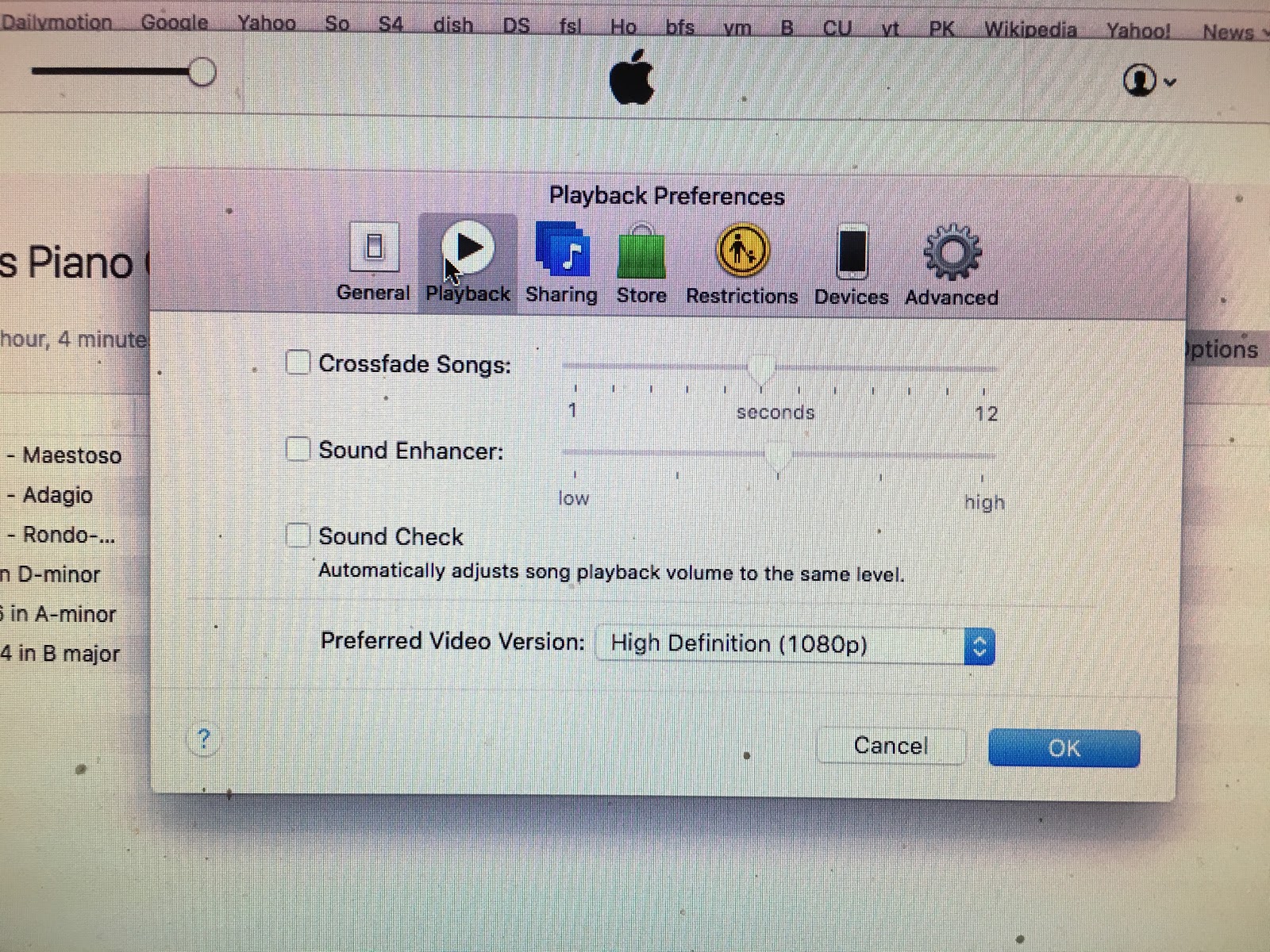
When researching this issue I did discover that Sonos now observes the Sound Check option in iTunes.  This could apply digital gain adjustment.  I'd never known about Sound Check and had never used it, I checked to make sure I hadn't set the Sound Check option in iTunes preferences, and I hadn't.


Setting the volume level to "fixed" doesn't help either.  If I set the Living Room system to fixed, it still adds the 10dB of digital gain just as if I had the volume control to maximum, and I will still get serious digital clipping on commercial recordings.

This may be true for all of my 8 Sonos zoneplayers, but I haven't actually tested them yet.  I need to connect a device with digital level readout, such as a Behringer DEQ 2496, and then play test tones at -20dB.  If this plays at -20dB or less, there is no digital gain and therefore no danger of digital clipping.  I was able to do this easily in the Living Room because it already has a DEQ in the signal path.  I see I still have a "spare" (not yet set up for it's intended role) DEQ I can use to run these tests on different zoneplayers.

I'm thinking that it's possible I forced the Living Room zoneplayer into a "gain mode" accidentally by pressing on "volume up" too many times.  I seem to vaguely recall getting some warning that I was setting level too high once.  But there appears to be no option or setting which permits me to undo the unwanted digital gain, and searching online hasn't revealed anything yet either.  I should contact Sonos about this, but that's yet another thing to do and I've been very busy.

The living room system is now so finely adjusted that I can actually play at about 0dB or very close to it on many recordings.

Monday, March 7, 2016

Choosing a UPS for the Kitchen Audio Video Equipment

I first believed that I wanted to get another UPS made specifically for Audio usage.  Such a UPS would, you would think, deliver clean power when running on AC, and at least decent power when running on batteries.  As an Audiophile I want everything that touches my Audio systems to be Audio Quality.

The very most respectable Audiophile UPS are the PurePower units.  The obvious downside is cost: these cost more than the audio equipment I actually have in the kitchen (though not if I include all the video and computer equipment).  While audiophiles I know boast about the sound improvement, I'm am aware that objectivist audiophiles discount these claims.  As far as I know, the benefits of using power conditioners on normal "noisy" but fairly stable power has not been proven in blind testing.  Sure AC lines are noisy but most equipment is designed to deal with that.  If differences do exist in using special Audio AC Power Conditioners I would not expect them to be large enough to worry much about to spend vast sums of money.  Even if I did believe in such differences, such elaborate power conditioning would be more appropriate on the more serious Living Room System than in the Kitchen.

Next best would be the Furman UPS for Audio.  Furman specializes in making power conditioners for audio use, but primarily for musicians who are endlessly faced with lousy power on location.  Anyway clearly they know some things about power conditioning.  But their Pro Audio 1500VA UPS is also pretty expensive, $1299.  I have been briefly tempted to buy one of these several times, they look nice.

But I have come to believe the UPS function is more important than the power conditioning function for my kitchen equpment, primarily because of all the hard drives online in different pieces of gear.  And, right now I'm being faced by a lot of non-audio expenses, such as replacing my central air conditioning.  So I've been looking mainly for ordinary UPS's which at least give some mention of EMI/RFI filtration--which nobody ever seems to test.

For my computer room I've previously used a series of Server Grade UPS's.  First I had one made by Best Power.  It was the cheaper model made by Best, and when the batteries died I decided not to bother with replacing them.  Replacing UPS batteries often costs almost as much as buying a new UPS and often when the batteries go the UPS is dead or nearly dead anyway.  So there's a big risk involved.  Then I got a 50 pound 1500VA server grade Smart UPS from APC.  I was using that UPS when making a lot of sensitive audio measurements and I became aware that it seemed to be adding to the noise spectrum of units being tested.  When the units and the measuring devices were plugged straight into the wall, I got slightly better measurements.  Then I took my Audioquest Noise Sniffer and plugged it into the APC.  WOW it was noisy, on plain old AC power.  Later, I also found the powerful Automatic Voltage Regulation function of the heavy APC was dragging down the entire 15A household circuit.  It got into a tug-of-war (aka feedback loop) with the PS Audio Power Plant Premier I had on that same circuit, and the power was thrashing so furiously it made equipment plugged into the Power Plant to buzz and even blow fuses.  When I took the APC out of the circuit, the problems with the Power Plant Premier went away.

So with all these problems with the previous APC unit I was using, I was not very interested in trying APC again.  A friend of mine who worked in computer rooms in Washington DC has always given his best word for only Tripp Lite.  He puts down APC vehemently.   I wouldn't necessarily say APC were bad for non-Audio use, and maybe newer units are OK for audio too, I just don't have time to check.

So then I checked out Tripp Lite.  They do seem to be generally respected, though it seems rather that the prevailing view is that APC is The Standard and Tripp Lite is an alternative that may have lower cost or particular desired features.  I can't tell if there is merit to that view because both APC and Tripp Lite (and other brands) make a whole range of products, from quite inexpensive models to super expensive models costing $10,000 and more.  If you're comparing the bottom line from one manufacturer to a higher line from another manufacturer, as it seems I may have often done in the past, it's not a fair comparison.

Well I remember when APC was Not The Standard and I thought that Best Power was, but Best Power seems to have disappeared.  Perhaps Best Power wasn't really the best.  Anyway, those were classic unfair comparisons comparing the bottom line APC with the most crude inverters to the more expensive Best having Sinewave Power.  Or perhaps APC didn't always make a full line of products.  But now they do now (or at least they sell a full line of products).  It seems All manufacturers now make cheap products and more expensive products that have Sinewave Power (sometimes called Pure Sinewave Power to distinguish from the lower grade approximations in cheaper models).  As many note, there are no firm standards on what Pure Sinewave Power is, so it's really hard to know much of anything unless you see actual oscilloscope photos.  And even if you do see oscilloscope photos you don't know if that's what you are going to get, with your equipment loading.

Anyway, I had picked out a very nice looking Tripp Lite UPS, the T1500.  It has the Pure Sinewave Power, not the mere Sinewave Power in the cheaper units.  It's is a heavy Server Grade unit in a metal box.  You can usually tell the Server Grade units, presumably better made but who knows, come in metal boxes.  Those units typically have better sinewave power, remote control features, and come in metal boxes.

I was just set to order one, then I finally took a look at the actual reviews on Amazon.  Well the very top review complained about a noisy fan constantly running.  I checked and the mention of noisy fan occurred in a high proportion of reviews.  And there weren't many reviews comparted to APC UPS's.

That threw my carefully baked plan out the window.  I had been fretting about the small differences in the Server Grade Tripp Lite units before I picked out the one I did.  I started thinking wildly.  Do I really need Sinewave Power after all?  My conclusion: probably not.  And then I came across another brand seemingly more popular than all the others on Amazon: Cyberpower.  Cyberpower was considered the even cheaper alternative the APC and Tripp Lite, but just as good--maybe better sometimes.

It was Cyberpower who makes the $139 1500VA UPS I mentioned earlier, that would actually be cheaper than a full set of batteries for either of my currently not working Belkin AVU 1500's.  And it might not ruin it's batteries as quickly as the Kitchen Belkin did.

But for a mere $204 I could get the Cyberpower model with pure sinewave power.   That sounded like a worthwhile upgrade to me.  Now this was another Plastic UPS, not a metal Server Grade UPS.  But it did have, so it claimed, pure sinewave power, as I have ALWAYS sought out, perhaps too unthinkingly.

Well it turns out Cyberpower didn't call the original power "pure sinewave" it called it "adaptive sinewave" for this model.  It isn't, really, sinewave, in the sense of being made like a sinewave as is done, maybe, in the server grade models.  It's a cheaper method.  However, when they saw how well it worked, as is actually documented in many many photos in Amazon reviews, they decided to call it pure sinewave.  Apparently into real customer loads you do get something that looks like sinewave.

It's not clear how this actually compares to the "PWM Sinewave" employed in the lower end plastic UPS's from Tripp Lite.  Maybe those are actually as good as the Cyperpower Adaptive Pure Sinewave Power.  If so, I haven't seen the pictures yet, I've only been looking a few days.

But then I did come across a very long review crossposted to several products doing the most detailed cross comparison I've ever seen.  It was very helpful, though despite permitting (and having) a vast number of corrections over the years, I though I still found an error or two in a critical part about fans.

It appears actually (and not as that review claimed) all of the heavier metal Server Grade units have fans, many if not most of the plastic ones do also.  But in the plastic ones....or perhaps simply newer dates of manufacture???....they've figured out only how to run the fan under extreme circumstances.

Actually the review clearly states the complex APC way of running the fan either on higher loads, high ambient temperature, charging the battery, as well as operating on Battery Power.  Then the claim is made, though I wonder if completely true, that virtually all Cyberpower UPS run the fan only on running on battery power--clearly when it would need it most.

I think this really makes all the difference.  And the model Tripp Lite I was looking at may have been older and not have the more sophisticated fan control...or just really be more like a server room product where all the fans are running all the time.

But by this time I was not seeing a slant in the reviews or anywhere suggesting Cyberpower to be an inferior product.  It did seem like they might be better in keeping fan noise down.  And finally I saw the specs for (though as they were provided by manufacturers, possibly differently obtained) time on battery power with different loads, from 100W, 200W, and so on up to full power.

Immediately I was impressed by the 147 minute time claimed by the Cyberpower server grade unit, the PR1500LCD for 100W.   Nothing else comes close to that.  And meanwhile the cheaper Cyberpower units have very low numbers.  So if you're interested in keeping things like DVR's running for as long a time as possible, it's not worth considering the cheaper Cyberpower units for sure and it's probably worth considering the PR1500LCD.

After lots of consideration, I did buy a PR1500LCD.  It impressed me in many ways.  It turns out that Cyberpower is just like Tripp Lite and APC in having a full line of products, from cheap plastic UPS's where Cyperpower generally has the cheapest-of-the-three units comparing apples to apples, though you also may argue that there are many cases where you have no two of anything.

Anyway, the PR1500LCD does have the longer claims, though I see in the fine print that Cyberpower uses "calculated time" and APC uses "actual time" or some such wording.  It's possible that the Cyberpower numbers are slightly inflated.  But there'd have to be a lot of inflation for the PR1500LCD not to have the best runtimes.  At half load it's given as 25 minutes, where other similar models claim 14.  Where it really shines is for 100W and 200W.  Perhaps that's the benefit from more intelligent fan running operation.

I've determined that what I really care about is about 200W, maybe down to 100W if I can do load shedding.  And it turns out I can program load shedding from the removable control panel the PR1500LCD has.  This removeable control panel is one of the best features anywhere.  With the Belken UPS I have the outlets facing outward for conveniently plugging thigs in under the table.  Which means by necessity the fancy LCD panel through which everything has to be seen, as there are no lights elsewhere, can only barely be seen--when using a mirror.

It would be the exact same situation with the PR1500LCD if it didn't have the removeable panel.

That feature, the low fan noise, the generally high regard by knowledgeable reviewers, make me think this is the unit to have.

Another great feature is the second bank of Not Critical plugs can be switched separately.  This means I can easily dump the watt guzzling TV and Monitor.  I can even let them ride out quick momentary blackouts of a few seconds, but fairly quickly shut down to save power.  I was disappointed to see that unlike the cheaper Cyberpower models the PR1500LCD does not have a set of Surge Only

Virtually identically to Tripp Lite, they do claim EMI/RFI filtration on the outputs.  Actually Cyberpower gives a list of different attenuations in different ranges.  The only such numbers which can be believed are numbers computed by the same method on both units by an independent reviewer.  And even then you may wonder if they got their facts straight.

Update: I instaled the Cyberpower PR1500LCD a week ago and it has been good so far.  The detachable control panel is very useful though I wonder if it might be more prone to accidental breakage.  Anyway, without that's I'd be unable to monitor or control the unit so I like it.  It is silent in normal operation


Thursday, February 18, 2016

Kitchen Audio UPS Reconsidered

Back around 2008-2010, I purchased 3 Belkin AVU1500 audio power conditioners with UPS.  Originally priced at $1500, these were being closed out and discounted to $350-$500.  There appeared to be nothing like it on the market, and Monster Power made conditioners that didn't look as beefy for the price and lacked UPS.  I reviewed and photographed the internals of the Belkin units on this blog.

Even then, I knew that the UPS part of the Belkin was probably not particularly good, though it has massive battery capacity and you wouldn't think it would be that bad either.  But I knew at the time I bought these units that Belkin had dropped out of the UPS market and was then only selling power conditioners for audio.  That was not a good sign, and I had the fear that the UPS was not as good as it should have been.  Since then even the name Belkin seems less heard then before.  Not to be confused with the leading US cable manufacturer Belden, for which it always seemed Chinese Belkin was a ripoff name.  I always knew that, but Belkin made neat looking stuff I could just buy rather than reels of cable, and I didn't look past them just because of the name.  In stores such as Computer City which no longer exists, the Belkin cables were the priciest you could buy there and didn't look bad while everything else looked like freebie wire.  I never had a problem with Belkin computer cables, but haven't needed any for 15 years since SCSI and Parallel cables went out of fashion.  Since that time over a decade ago, I have gotten most of my audio  and video cables from Blue Jeans Cable who uses genuine Belden wire.  Only once ever did I get Belkin audio cables and while they seemed to have the right stuff (polyethylene dielectric for example) I didn't like them much because of the too-tight connectors.  I may still be using some Belkin speaker wire, looked similar to Monster zip cord with polyethylene dielectric.

It also appeared that the UPS section of the unit was not given that much attention in my earlier investigations.  But I was then leaning heavily on the power conditioning aspect as being the more important one, and at least the power conditioning parts inside the Belkin looked serious.

The three units I purchased were intended for living room main system, kitchen system (which is also my "Audio/Video Production Center", and the Laboratory (previously called the Computer Room).

Since then, the Laboratory hasn't been cleaned up enough to do much work in there, let alone set up the Belkin UPS.  So the unit designated for the Laboratory has been sitting around unboxed in various rooms, first the master bedroom, then my climate controlled storage building (dubbed Lyndhurst).  It was one of the earliest pieces moved to Lyndhurst and was sitting on the bottom of a pile that reached to the 9 foot ceiling.

The Belkin UPS in the living room has done well.  Actually I think that was the second one I purchased.  The power conditioning has always seemed adequate, it looks the part, and the UPS has almost always kept the digital equipment running continuously so I don't need to reset stuff all the time.  It started beeping about batteries in 2013 and got a new set of batteries then and has had no issues since.

The UPS in the Kitchen had been doing fine until 2014.  Then it started beeping too, and it got a new set of batteries.  Those batteries lasted only 19 months until now.

That didn't seem right.  Batteries lasting only 19 months isn't normal, UPS batteries should traditionally last 3-5 years and in low impact use can last up to 7 years.

Replacing the batteries in the Kitchen UPS is a task that takes at least a dedicated weekend if not two.  A gazillion wires and several pieces of key equipment need to be moved out of the way just to pull the UPS away from the wall so that I can remove the battery "cartridge."  Then the cartridge itself must be disassembled and the batteries packed in a box to take down to the battery store.  Then after getting the new batteries, everything has to be put back into place.

A new set of batteries isn't cheap either.  The last set I purchased in 2014 was nearly $200 and prices seem to have gone up a bit since then.  The Belkin takes 4 batteries which cost upwards of $40 apiece.

It immediately occurred to me I probably didn't want to chance another set of batteries in the kitchen UPS.  I think there's a big chance the Belkin UPS isn't keeping batteries in good condition.  Perhaps the charger isn't charging up to voltage, or goes overvoltage, or something.  I never trusted the Belkin UPS very much, and wrt the kitchen UPS whose batteries failed in 19 months, I have even less trust.

So, I got out the unused Belkin sitting in the bottom of a pile of junk in my junk building.  That's what I did last Sunday.  I hooked it up for the 12 hour "charging."  Just to see what was happening I also connected a Kill A Watt meter.

I was shocked to see that it was only drawing 0.09 amp, or 1 watt.  I tried multiple times to turn the unit on by pressing the On button for up to 30 seconds.  It did not come on.

I left it plugged in for over 24 hours, then tried unplugging and replugging a few times.  Nothing.  It never draws more than 1 watt or allows itself to be turned on.

I took apart the battery compartment and examined the batteries and battery connections.  Everything looked perfect.  I measued a combined voltage of 5V.

I think what might be occurring here is that the 5V isn't enough to power some part which must be powered in order even to turn the "charger" on.  So it never even starts charging, there's a relay or transistor controlled by battery voltage that doesn't engage.

But the only way to know is--to buy a new set of batteries.  And even then it might have the problem of the old Kitchen UPS--the battery might not stay in condition.  And what happens after a deep deep discharge?

For the approximate $200 price of the set of batteries, I could buy a new UPS.  A real UPS made by a respectable UPS company, not a company that exited the business 6 years ago.  A brand new UPS that hasn't been subjected to 6 years of noisy AC power and outages and electrical work, not to menton loads such as my Sony 34XBR960 CRT television (now sadly deceased and removed).  I could even spend much less, only $139, and get a highly regarded very popular and top rated Cyberpower UPS with 1500 VA.

I also started re-thinking the kitchen UPS responsibilities.  This kitchen UPS isn't only for the audio system.  I can loose far more than not-having-to reset all the digital devices after an outage.  Here are the things the Kitchen UPS must keep powered:

1) The irreplaceable nothing-made-like-it-since Pioneer DVR LX70 video recorder which I have constantly playing programs in infinite loops to keep my bedroom TV busy.  A power outage could cause loss of the hard drive causing months of agonizing repair or replacement, not to mention lost programs, many of which have not already been written to DVDR's because that takes lots of time to do it well.

2) My Mac Mini, fully loaded with 1+TB hybrid drive.  This has all my music and video collections, as well as all my open applications, etc.  I do back this up,  at least, but losing it would cause a month of downtime.

3) My Dish Network DVR, with all my most recently saved TV shows going back months.

4) My HDMI 4x4 switcher (this could go down, but up-and-down probably isn't good, and like the Pioneer this is a rarest-of-the-rare unit).  My Oppo.  My DVDO format converter.  My Plextor Premium CDR drive.  Lots of valueable equipment I don't want to stress.

5) The managed Ethernet Switch for the entire house.  All the HDMI to CAT6 converters.

6) My security cameras, and the security DVR.

Clearly the UPS function here should be taken seriously.  It can kind-of be laughed off in the Living Room, but in the Kitchen I have a serious Data, Networking and Security center.

Meanwhile, I don't really know how important the "Power Conditioning" function is.  Objectivist audiophiles claim that the AC power purity obsession is unwarranted.  I certainly have no blind test results proving different.  In my attempts at doing objective measurements on AC power noise (using the Audioquest Noise Sniffer), I hadn't even found a consistent difference with the massive Belkin in place.  The only thing I've found to make a consistent difference in AC noise levels is having dedicated power lines, as I now have in the bedroom and living room but not in the kitchen.

Nevertheless, I did look for UPS's which claimed to have AC line EMI/RFI filtration, FWIW.

How I decided on a particular new UPS will be discussed in the next posting.